
Keeping your phone and keyboard clean is essential—not just for the appearance of your devices but also for your health. These everyday gadgets collect dirt, oil, and germs, which can potentially cause issues if left unchecked. Cleaning them safely without causing damage is easier than you might think. In this post, we’ll guide you step-by-step on how to clean your phone and keyboard effectively, using materials you probably already have at home.
Why Clean Your Phone and Keyboard?
Phones and keyboards undergo frequent use and are exposed to various environments. They can harbor bacteria, viruses, dust, and grime, which can:
– Affect device performance
– Cause uncomfortable sticky keys or screens
– Increase the risk of illness transmission
– Shorten device lifespan if debris damages internal parts
Regular cleaning promotes hygiene and preserves your gadgets, keeping them looking new and functioning well.
What You’ll Need
Before starting, gather these mild cleaning supplies:
– Microfiber cloths (soft, lint-free)
– Isopropyl alcohol (70% or less recommended)
– Distilled water
– Cotton swabs or soft-bristled brush
– Compressed air canister (optional, for keyboards)
– Mild dish soap (optional)
Avoid harsh chemicals, abrasive materials, or excessive moisture, as these can harm your devices.
—
How to Clean Your Phone Safely
Phones are sensitive to liquids and scratches, so careful cleaning is key.
Step 1: Power Down and Unplug
Always turn off your phone and unplug it from chargers or accessories before cleaning. This reduces the risk of short circuits or damage.
Step 2: Remove Cases and Accessories
Take off any phone cases, screen protectors (if removable), and accessories. These can be cleaned separately.
Step 3: Clean the Screen and Body
- Dampen a microfiber cloth with a mixture of 50% distilled water and 50% isopropyl alcohol.
- Wring out any excess moisture thoroughly so the cloth is just slightly damp.
- Gently wipe the screen and the back of the phone in smooth motions to remove fingerprints, smudges, and germs.
- Avoid spraying liquid directly onto the phone.
Step 4: Handle the Ports and Buttons
Use a dry cotton swab or a soft brush to clean around buttons, charging ports, and speakers carefully. Avoid inserting anything deep into ports.
Step 5: Clean Cases and Accessories
For silicone or plastic cases, wash with mild dish soap and warm water. Dry thoroughly before reattaching.
—
How to Clean Your Keyboard Safely
Keyboards can collect dust, crumbs, and oils from fingers. Here’s a safe way to clean them:
Step 1: Turn Off and Unplug Your Keyboard
Whether wired or wireless, disconnect or switch off your keyboard before cleaning.
Step 2: Remove Loose Debris
– Flip the keyboard upside down and gently shake it to dislodge loose particles.
– Use a compressed air canister to blow out dust from between the keys.
Step 3: Clean the Keycaps and Surface
- Lightly dampen a microfiber cloth with a water and isopropyl alcohol mixture (same 50/50 ratio).
- Wipe the keycaps and keyboard surface carefully, avoiding excessive moisture.
Step 4: Detail Cleaning with Cotton Swabs
Dip cotton swabs in the cleaning solution, wring out, and use them to clean around each key and hard-to-reach spots.
Step 5: Deep Cleaning (Optional)
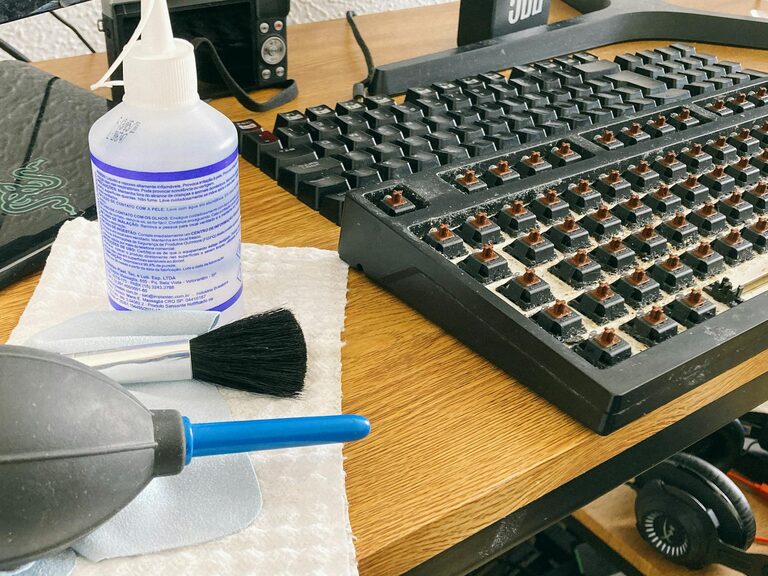
For mechanical keyboards or those with removable keys:
- Remove keycaps gently (refer to your keyboard manual).
- Soak the keycaps in warm, soapy water, rinse and dry completely.
- Clean the keyboard base with a dry microfiber cloth or slightly dampened cloth without keys attached.
- Reassemble once fully dry.
—
Tips for Ongoing Maintenance
– Clean your phone and keyboard regularly—at least once a week or more often if you use them heavily.
– Always wash your hands before using devices to reduce the transfer of oils and germs.
– Avoid eating near your keyboard and phone to limit crumbs and spills.
– Store your phone and keyboard in clean environments when not in use.
—
What to Avoid When Cleaning
– Never use bleach, window cleaners, or ammonia-based products, which can damage screens and plastics.
– Avoid excessive liquid, which can seep inside and cause damage.
– Don’t scrub vigorously; gentle wiping is best.
– Avoid paper towels or abrasive cloths that can scratch surfaces.
—
Cleaning your phone and keyboard doesn’t have to be complicated. With these easy, safe methods, you’ll keep your devices in great shape and minimize germs. Plus, maintaining clean tools boosts your productivity and comfort. Make this a regular habit and enjoy your fresh-feeling technology every day!